Needs to act on the right thing
The founder or product owner who has to make decisions and keep their own stakeholders informed.
- Open decisions shown with a count
- Approve, or say what should change
- A record to point back to
HALO Cockpit is the live workspace we built for our own clients. It answers the three questions every client asks, where are we, what do you need from me, and are we on track, without a status call.
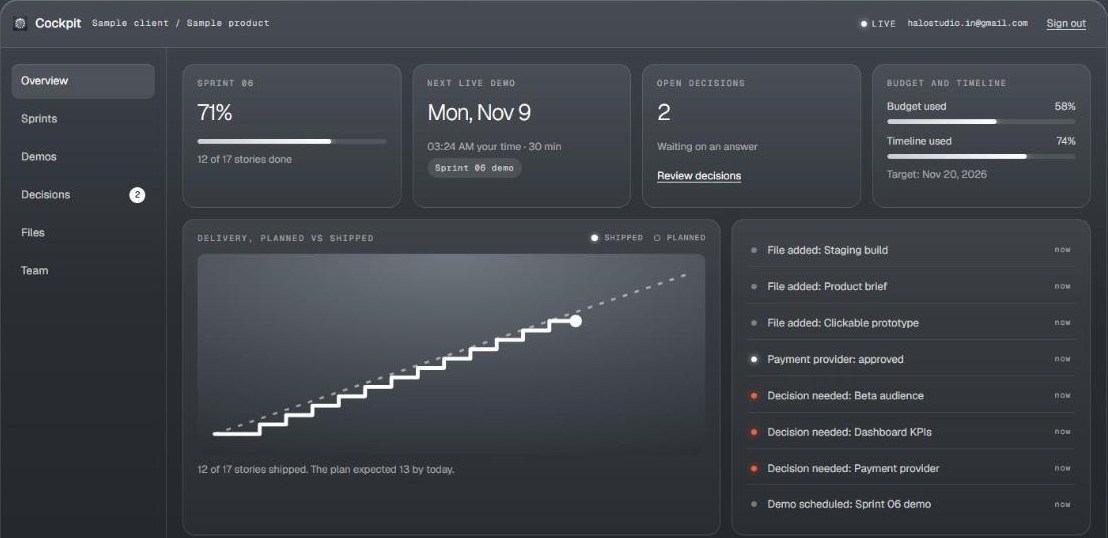
The real app, with a sample project.
You shouldn't have to wait for a call to learn how your own project is going.
A weekly status email is out of date when it's sent. Decisions get buried in threads, and problems surface once they've become expensive. The team loses building time, and the client still doesn't have the full picture.
The founder or product owner who has to make decisions and keep their own stakeholders informed.
The executive or finance lead who checks in occasionally and wants to know if things are on track.
The HALO team that keeps a project moving, and shouldn't have to write about the work to report it.
The answer takes a call, or an email that's already out of date.
Sprint progress and the delivery chart are calculated from real stories, and update live.
Requests are scattered across email and chat, and some get missed.
Every open question sits in Decisions, with a count in the menu and a note on the overview.
A confident update can hide a project that has slipped.
The chart draws what shipped against a straight planned line from start to target date, so a slip is visible.
Months later, nobody can find where a choice was made or why.
Answers record the outcome, the note, the person and the time. Once answered, a decision can't be answered again.
Briefs and builds get lost in old attachments.
Files and links live on the project, with private files opened through short-lived links.
Status writing is work that doesn't ship anything.
The feed writes itself from what happens: a story moved, a demo scheduled, a decision answered.
Decisions show how Cockpit works throughout: one place, clear ownership, and a lasting record.
The team writes the question, the options and a recommendation.
The count appears in the menu and on the overview, and the feed records it.
Approve, or request changes with a note saying what should change.
Your answer, name and time are saved with the decision. A second answer is refused.
Open screens update in moments, without a refresh.
Moves stories, schedules demos, adds decisions and files.
A Postgres database applies the access rules on every request, writes the activity feed and stamps delivery dates.
Follows progress, opens files and answers the decisions on their own project.
Move a story, answer a decision, and watch the overview change. This demo uses sample data held in the page, so nothing you do here is saved.
Shown with a sample project. Real client projects stay private.
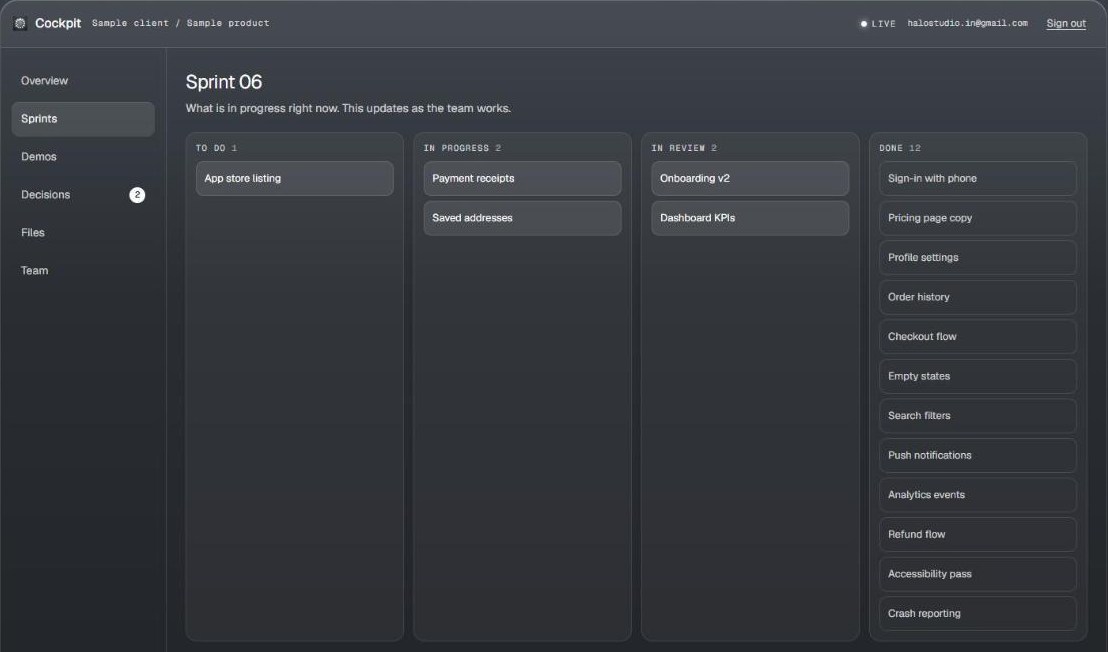
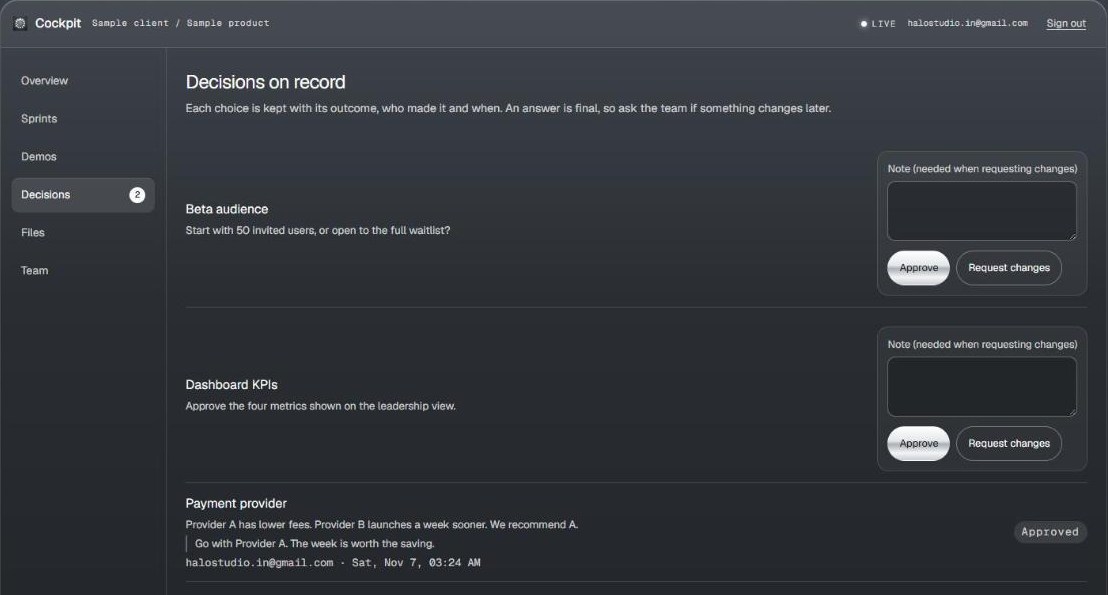
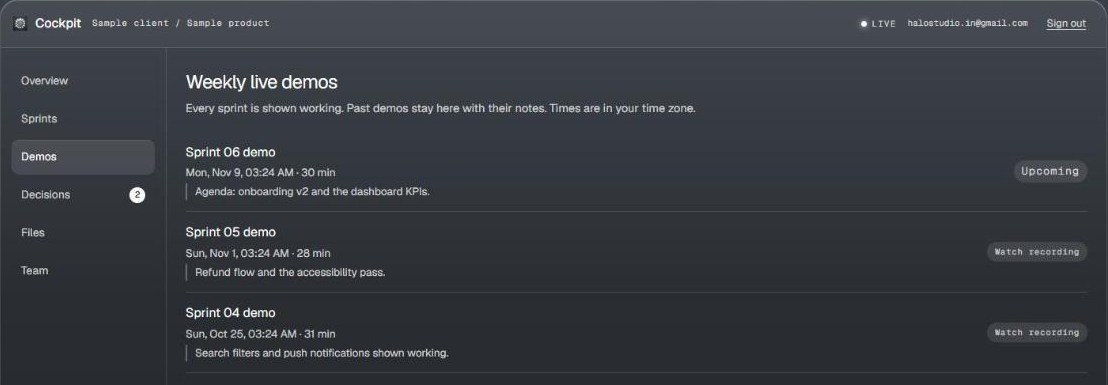
Sprints · Decisions · Demos, as a client sees them.
These rules are enforced by the database on every request, not just hidden in the interface. So even someone who altered the page couldn't reach another client's data.
| Action | Client on the project | Other signed-in person | Signed out |
|---|---|---|---|
| See the project | Yes | No | No |
| Answer an open decision | Yes, once | No | No |
| Download project files | Yes, by short-lived link | No | No |
| Change stories, demos or budget | No, staff only | No | No |
| Add people to a project | No, staff only | No | No |
The same approach we'd bring to an internal tool for your business: little to maintain, with the security placed where it can't be bypassed.
| Layer | What we use | Why it matters to you |
|---|---|---|
| Interface | Vanilla JavaScriptHTML and CSS | Fast to load, works on phones, with no framework to keep upgrading. |
| Database | Supabase PostgresRow level security | Real SQL, with access rules applied to every row of every request. |
| Sign-in | Supabase AuthEmail links | No passwords for clients to remember or for us to protect. |
| Live updates | Supabase Realtime | Open screens refresh themselves, and hold back while someone is typing. |
| Files | Private storageSigned links | One folder per project, up to 50 MB per file. |
| Hosting | VercelStrict security headers | Limits which outside sites the app can talk to, and stays out of search results. |
Every HALO engagement gets a cockpit from day one. We can also build a workspace like it for your own business.
Tell us what you're building. You'll get a cockpit from day one, and a working demo every week.